

The leading solution for Unified Endpoint Management
Manage all device types and operating systems through a single platform.
AI-driven management for desktops, mobile devices, and IoT.
Modern Device Management, unified
|
|
Modern Mobile Device Management, simplified.
|
|
Provision secure kiosks in minutes
|
|
A deluge of features to enhance rugged device management
Rapid Deployment
Manage the entire device lifecycle
|
Extend your enterprise device security
Manage without touching the device
|
Easy-to-use IoT device management solution
|
|
Lockdown devices into fully managed digital signages
|
|
AI-driven management for desktops, mobile devices, and IoT.
Modern Device Management, unified
-
Easy migration: Deploy Hexnode Gateway to macOS devices or use UI-guided options for Windows migration.
-
Seamless login: Provide smooth, secure logins powered by your identity provider via Hexnode Access.
-
App inventory: Track all installed apps and add both in-house and externally sourced applications.
-
Data security: Secure, encrypt, lock, or wipe corporate data as needed.
-
Network security: Enable password-less Wi-Fi access and configure Global HTTP Proxy settings.
-
Kiosk lockdown: Restrict devices to single or multiple apps with automatic relaunch when idle.
-
Real-time monitoring: View device screens live for high-security environments.
-
Bundled actions: Combine multiple actions into one deployment for consistent execution across platforms.
Modern Mobile Device Management, simplified.
-
App inventory: Track all installed apps and add in-house or external apps.
-
Managed access: Distribute content to specific locations on devices in real time.
-
Network security: Enable Wi-Fi without sharing passwords and configure a Global HTTP Proxy.
-
Secure browsing: Lock devices to specific websites or apps, restricting other access.
-
Instant support: Provide real-time assistance and troubleshoot issues directly.
-
Device location: Locate individual devices or view multiple devices on a single map.
-
Cost management: Monitor voice and data usage to control corporate mobile expenses.
-
Data segregation: Keep work and personal data separate for security and privacy.
Provision secure kiosks in minutes
-
Multiple lockdown modes: Set up single- or multi-app kiosk lockdown with a custom interface.
-
Web-based kiosk: Lock devices to a specific webpage, blocking access to all others.
-
Peripheral control: Remotely manage volume, screen brightness, Wi-Fi, Bluetooth, flashlight, and other functions.
-
Android kiosk browser: Enable multi-tab browsing with whitelist/blacklist controls in kiosk mode.
-
Enterprise app store: Deploy a custom app store and restrict devices to apps from it, with silent installation.
-
Custom branding: Personalize kiosk devices with custom wallpapers, screensavers, and hidden apps.
-
Remote security actions: Shut down, restart, lock, or wipe devices remotely to prevent data loss.
-
Mobile expense management: Set data limits, monitor usage, and block network access to control costs.
A deluge of features to enhance rugged device management
Rapid Deployment
- Zero-Touch Enrollment (ZTE)
- Knox Mobile Enrollment (KME)
- Android ROM/OEM
- Open enrollment
- QR code
- Email and SMS
Manage the entire device lifecycle
- Device management
- Application management
- Network management
- Content management
- Kiosk management
- Expense management
Extend your enterprise device security
- Password policies
- Device encryptions
- Pre-configured VPNs
- Containerization
- Root/Jailbreak detection
- Forced compliance
Manage without touching the device
- Screen share
- Remote control
- View device location
- Troubleshoot devices in the field
- Corporate wipe, lock or clear password
- Access device and user details
Easy-to-use IoT device management solution
-
Brand customization: Tailor screens to reflect your brand identity and aesthetic.
-
Media control: Access fine-grained options for managing media playback.
-
Remote content management: Ensure unattended devices display useful information via remote access.
-
Apple TV support: Enroll Apple TVs to create IoT-enabled digital signage solutions.
-
Advanced Configurations: Apply advanced configurations across all endpoints in a platform-agnostic manner.
-
Rapid deployment: Enroll IoT-ready rugged devices quickly via Zero Touch Enrollment (ZTE) or Knox Mobile Enrollment (KME).
-
Centralized lifecycle management: Manage the full device lifecycle from a single platform with ease.
-
Remote management: Track, troubleshoot, and, if needed, wipe corporate data on rugged devices in the field.
Lockdown devices into fully managed digital signages
-
Content distribution: Push content to thousands of screens from any internet-enabled device via your portal.
-
Advanced media player: Supports common formats like JPG, PNG, MP3, MKV, and MP4 for maximum compatibility.
-
Media editor: Trim, mute, add background music, and set transmission speed and animations natively.
-
Update on the go: Schedule system updates for all screens with a single click, eliminating manual updates.
-
Immense scalability: Hexnode’s signage solution grows seamlessly with your business.
-
Display settings: Control brightness, screen orientation, and other display settings from the portal.
-
Automated playlist: Automatically create playlists from specified folders and subfolders.
-
Cloud-based management: Manage all devices from a centralized, cloud-accessible platform on any internet-enabled device.
Empowering remote workforce with Hexnode UEM
Hexnode UEM lets you securely manage, monitor and control corporate-owned and BYOD endpoints. Try out Hexnode to efficiently manage and effectively mobilize your organization’s fleet of devices.
Manage any platform and any device
Windows
|
|
MacOS
|
|
Android
|
|
iOS
|
|
tvOS
|
|
Fire OS
|
|
Linux
|
|
VisionOS
|
|
ChromeOS
|
|
Manage any platform and any device
Windows
-
Absolute security
Enforce enterprise-grade protection with policies like BitLocker management, password requirements, and more. -
Hexnode Gateway
Seamlessly migrate any Windows device—using silent or guided options, including Autopilot devices via Azure—while maintaining full control during onboarding. -
Configurations and scripts
Remotely push configurations, restrictions, and custom scripts to individual devices or entire device groups.
-
OTA updates and patches
Simplify OS updates, distribute patches efficiently, and deploy app updates over the air with ease. -
Hexnode Access
Enable secure Windows logins by validating cloud credentials and customizing login screens, network settings, user groups, and more. -
Email and network
Configure corporate Wi-Fi, email, and ActiveSync settings remotely for quick and consistent setup.
MacOS
-
Volume deployment
Streamline large-scale deployments through Apple Business or School Manager, with preconfigured settings for automatic UEM enrollment. -
BYOD and corporate
Identify personal and corporate devices during enrollment and apply distinct policies to each. -
Hexnode Gateway
Use Hexnode Gateway to migrate from any existing management solution. Create a custom .pkg, deploy it to macOS devices, and transition seamlessly.
-
Secure devices
Configure and restrict devices wirelessly, enforce passcode requirements, and remotely lock devices when needed. -
Easy OTA enrollment
Enroll macOS devices over the air, just like iOS—no physical access or admin intervention required. -
Hexnode Access
Authenticate user credentials, customize the macOS login experience, and streamline access with Hexnode Access.
Android
-
Enterprise ready
Seamlessly integrate with Samsung Knox, LG GATE, Kyocera EMM, Zebra, and more. -
Zero-touch enrollment
Deploy Android devices in bulk effortlessly with Zero-Touch Enrollment, managed from the very first boot. -
Secure browser
Control web access with URL blacklists and whitelists, and enable secure multi-tabbed browsing.
-
Android Enterprise
Support BYOD while keeping corporate data secure by creating separate work profiles for apps and data. -
Rugged devices, TVs, and wearables
Manage Android rugged devices and IoT endpoints, including TVs, wearables, IP phones, and more. -
Android kiosk lockdown
Restrict devices to single or multiple apps, while configuring background apps to support essential services..
iOS
-
ABM and ASM Integration
Simplify large-scale deployments and securely distribute apps with Hexnode’s seamless integration with Apple Business Manager and School Manager, saving IT teams valuable time. -
App management
Distribute enterprise and store apps, control access with blacklists and whitelists, and create custom app catalogs. -
Configure and restrict
Remotely set device configurations and disable features like camera, App Store, and iCloud.
-
Hexnode Email App
Securely manage and configure email accounts. Streamline onboarding with OAuth authentication via Google and Microsoft. -
Web filtering
Enhance security by restricting unwanted websites and inappropriate content. Blacklist or whitelist specific URLs as needed. -
iOS kiosk lockdown
Lock devices in single- or multi-app mode to boost productivity and keep users—employees or students—focused on their tasks.
tvOS
-
Secure AirPlay
Prevent unauthorized streaming to Apple TVs by enforcing password-protected access. -
Simplified enrollment
Use Apple Device Enrollment Programs to auto-enroll devices with Hexnode UEM during volume deployments.
-
Wi-Fi setup
Remotely push network configurations to groups of enrolled Apple TVs—no manual connection needed. -
Conference Room Display
Control what appears on launch screens, block inappropriate content, and remotely display custom messages for your audience.
Fire OS
-
Kiosk lockdown
Restrict devices to single- or multi-app modes, with full support for customization and branding. -
Remote configurations
Easily configure corporate Wi-Fi, email, and VPN settings across large numbers of devices. -
Continual monitoring
Maintain full visibility with regular compliance checks and a real-time, clutter-free dashboard.
-
Multi-level security
Enforce robust password policies, device restrictions, certificates, and network rules to secure devices and data. -
App management
Simplify the distribution and management of store, enterprise, and web-based apps. -
Remote view
Assist users instantly by viewing and troubleshooting their devices remotely from your workspace.
Linux
-
Application management
Automate app deployment and removal, and set access controls to streamline the app lifecycle. -
Enrollment
Simplify device deployment with easy, authenticated script-based enrollment. -
Remote view & live terminal
Monitor and assist users in real time with remote view, and execute commands, updates, and troubleshooting instantly via Live Terminal.
-
Security
Protect devices with strong password policies, certificate-based authentication, and controlled data transfers. -
Remote actions
Quickly configure devices with commands like wipe, restart, OS updates, and policy application. -
Web content filtering
Control access to online content, enhance productivity, and manage allowed/blocked websites.
VisionOS
-
Network relay
Create a secure tunnel to access internal resources using built-in, domain-based relay configuration. -
Security
Safely configure network settings and manage authentication using certificate-based controls.
-
Remote actions
Quickly perform device management tasks like wiping, restarting, OS updates, and enforcing policies. -
Web content filtering
Control browsing by restricting unwanted websites and managing allowlists and blocklists.
ChromeOS
-
OS update management
Automate OS updates, configure connection types, enable auto-reboot, and support device rollback. -
Browser configuration
Manage browser settings, homepage preferences, extensions, and allowlist or restrict URLs to enhance security and productivity. -
Remote actions
Securely manage devices with instant remote commands and controls.
-
Restrictions
Control device settings, home and lock screen access, sign-in options, network settings, and Google services. -
App management
Automatically push apps and web apps, configure settings, and block access to restricted applications. -
Kiosk mode
Lock devices to single or multiple apps, set up secure browsing, and optimize settings for productivity.
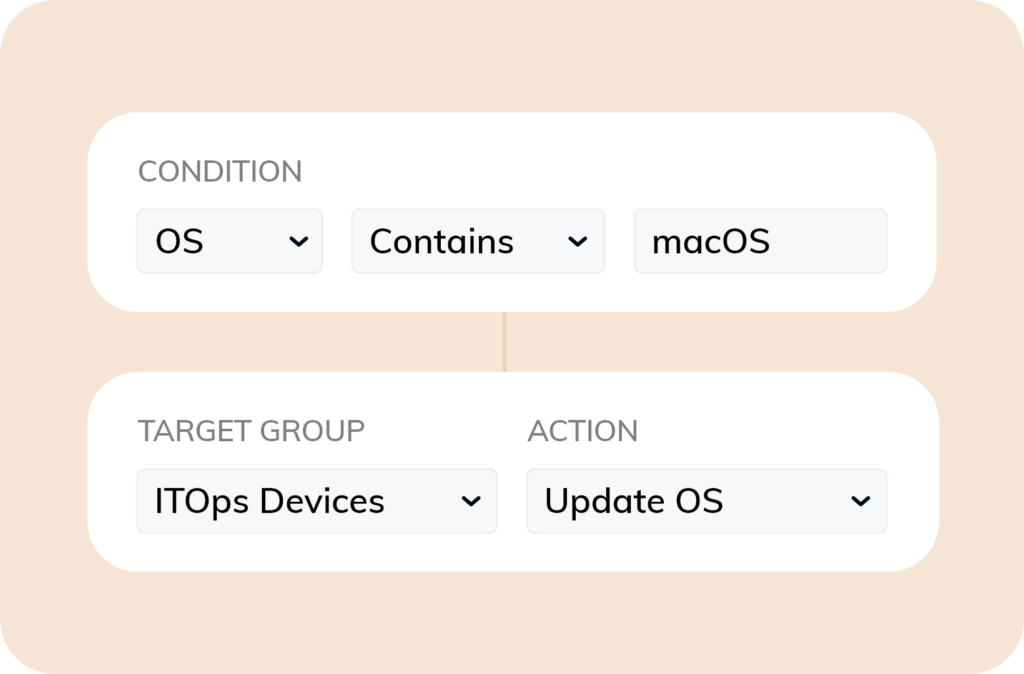
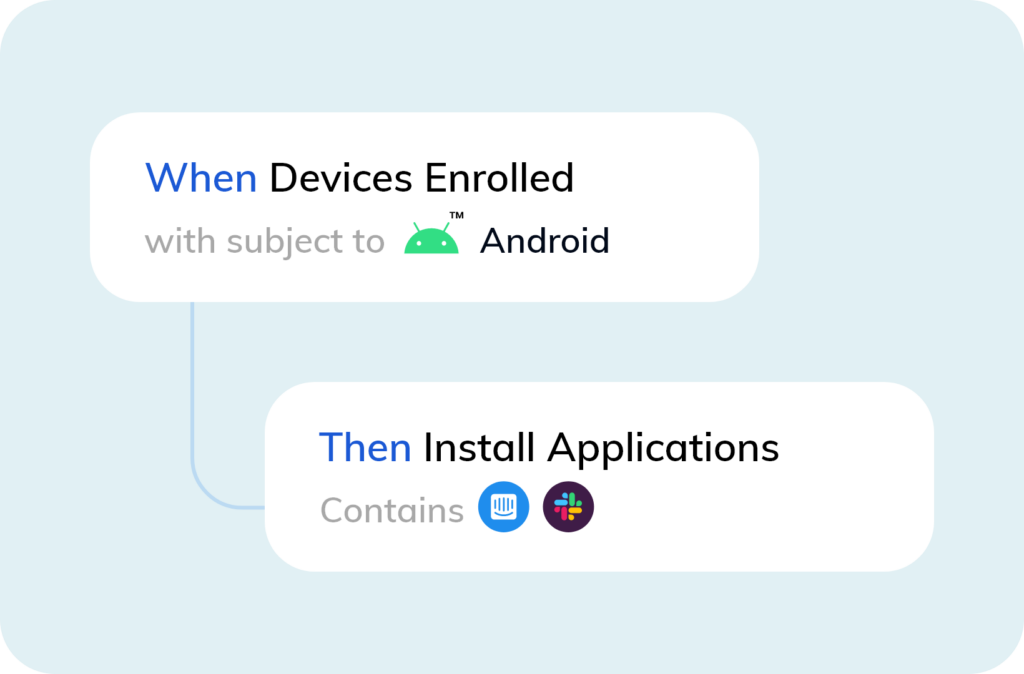
Unified control with built-in workflows
Trusted by industry leaders around the world
Trusted by industry leaders around the world